Telemetry labs
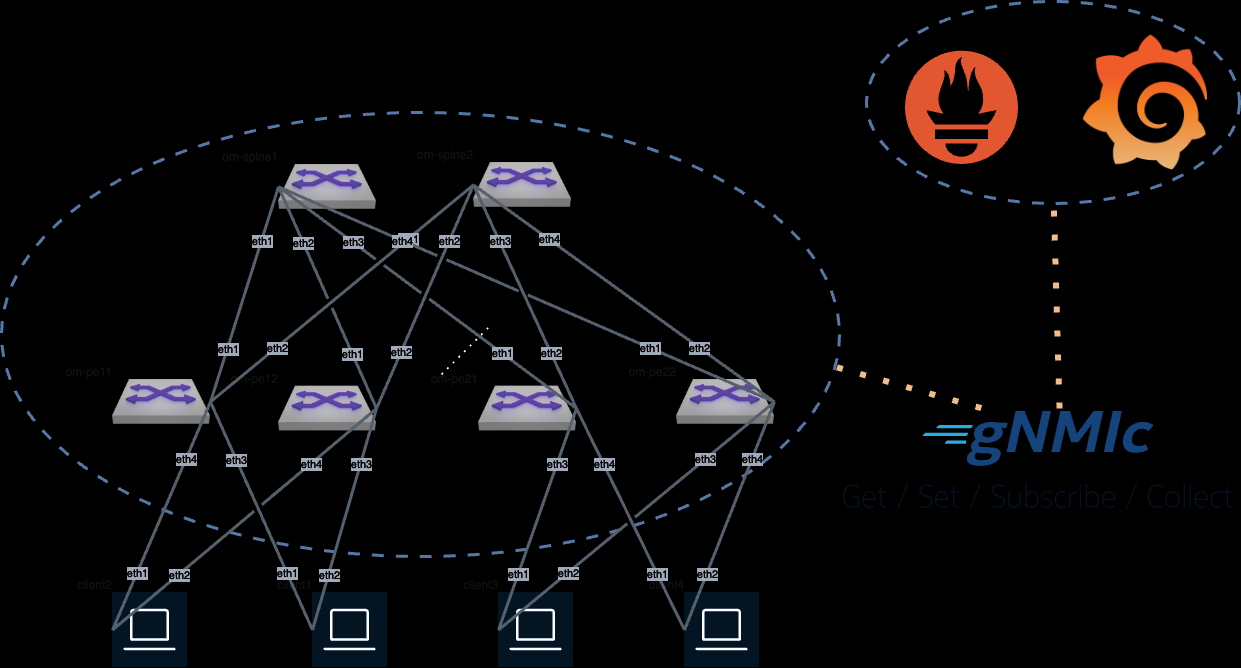
gNMIc Prometheus Grafana Lab
Lab Details
AVD Version: 5.7.2
cEOS-lab: 4.34.2F
Containerlab: 0.72.0
How To Run The Lab
Arista Community Lab runs in a cloud-based lab environment sponsored by Arista 1. To get started, sign in at labs.arista.com and click the button below to launch the lab.
All lab files are also available for download if you want to run the lab on your own machine . This option is intended for experienced users who can manage the environment without extra support.
To access Grafana use the arista/arista credentials.
To add configurations to the switches, such as configuring EVPN, we can use AVD for instance (This will be needed for the L3 Telemetry dashboard):
ansible-playbook playbooks/fabric-deploy-config.yaml -i inventory.yaml
Lab details
Looking at the gnmic.yml file we can see that we're going to use gnmic to subscribe to several OpenConfig and EOS native paths
and write the data into Prometheus either in their raw states or modifying them
with processors, which
are needed due to Prometheus only accepting numerical values.
For additional paths please check the EOS Path report.
-
GitHub Codespaces support was removed due to platform restrictions. Use labs.arista.com instead; it is available to all users with an arista.com account. ↩